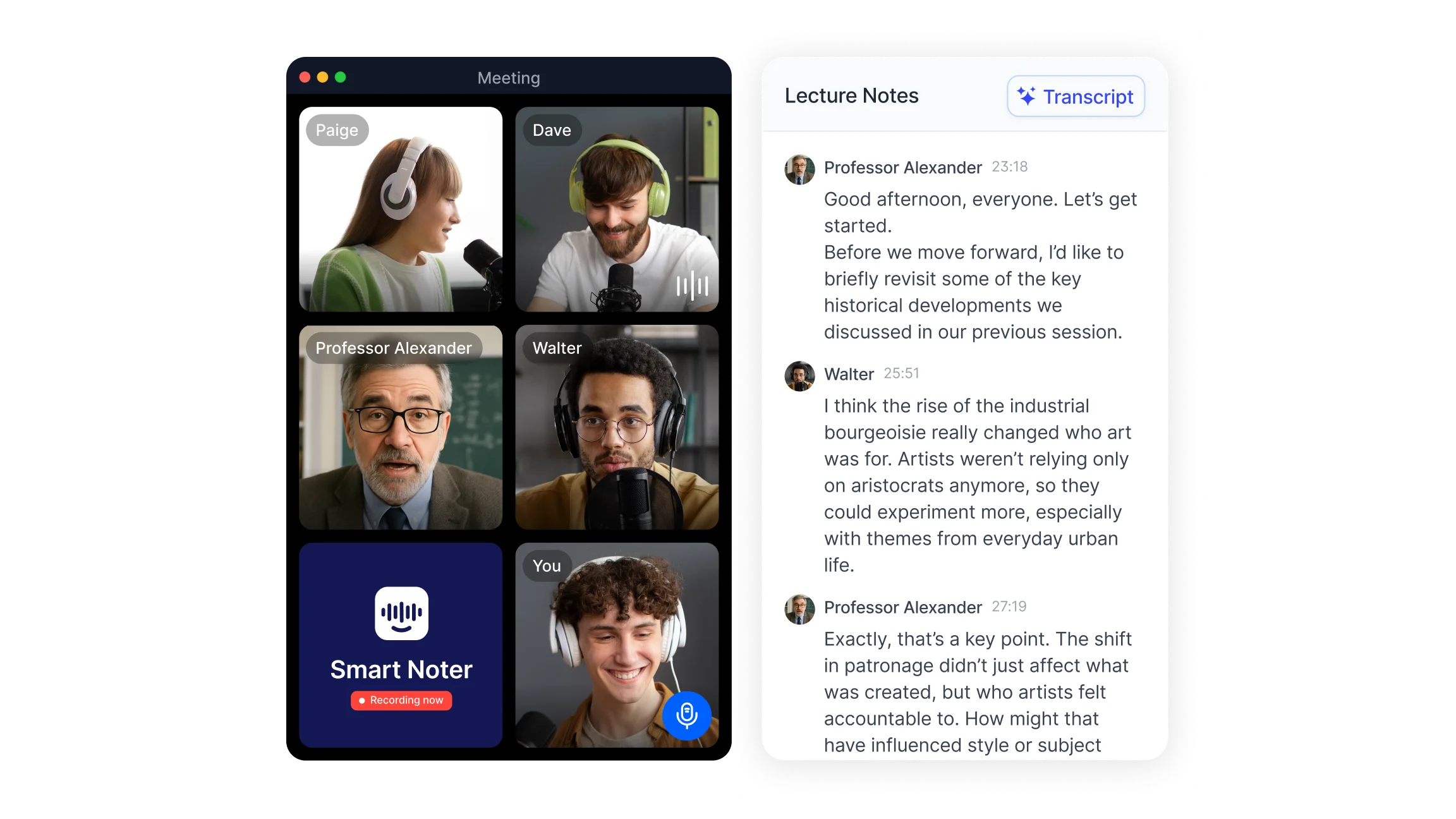
What Is Academic Transcription?
Academic transcription is the process of converting recorded spoken content from educational and research settings into written text documents. The source material includes university lectures, seminar discussions, research participant interviews, oral defenses, panel discussions, and fieldwork recordings.
It is important to distinguish between two uses of the word "transcript" in academic contexts. An academic transcript refers to a student's official record of grades and completed courses issued by a university or institution. Academic transcription, by contrast, refers to the conversion of audio or video recordings into written text documents. These are entirely different things despite sharing a root word.
The written output of academic transcription supports multiple downstream uses: lecture revision, qualitative data analysis, accessibility accommodations, dissertation research, and archiving of spoken content for institutional records.
How to Transcribe Academic Recordings Step by Step?
The process for transcribing academic content follows the same core sequence regardless of whether the method is manual, AI-assisted, or a combination of both.
Step 1: Record the source content clearly
Audio quality is the single most important factor in transcription accuracy. For lectures, position a recording device or laptop microphone toward the speaker rather than relying on the room's ambient audio. For research interviews, use a dedicated microphone and record in a quiet environment. For online seminars and video lectures, use the platform's built-in recording feature or connect Smart noter's recording feature to capture the session directly.
Step 2: Choose your transcription method
Three primary methods are available for academic transcription:
AI transcription tools process the audio file and produce a text document automatically within minutes. This is the standard approach for most academic use cases in 2026 and produces highly accurate results from clear recordings. Smart noter's audio to text feature handles lectures, seminars, and research interviews uploaded as audio or video files across +98 languages.
Manual transcription involves listening to the recording and typing the content yourself. This gives the most control over wording and formatting but is time-intensive: one hour of audio typically requires four to six hours to transcribe manually. Most students and researchers use AI for the initial draft and manual editing for corrections.
Hybrid transcription uses AI for the initial draft and manual review to correct errors, add context, and improve accuracy on technical terminology and proper nouns that the AI may have approximated.
Step 3: Select the transcription style
Decide before editing whether the transcript will be verbatim, clean verbatim, or edited. The style choice affects how much post-processing is needed and what the final document looks like.
Step 4: Upload the file and generate the initial transcript
Upload the audio or video file to the transcription tool. Set the primary language, especially for multilingual or non-English content. The AI processes the file and produces a draft transcript with speaker labels and timestamps.
Step 5: Review and correct the draft
Read through the draft against the original recording. Focus on proper nouns, subject-specific terminology, and any sections where multiple speakers overlapped or background noise reduced clarity. These are the most likely sources of errors. Correct speaker labels if the AI has misattributed any statements.
Step 6: Format the transcript for its intended use
Apply consistent speaker labels, add timestamps at regular intervals, and organize the content into readable paragraphs. For research transcripts, add a header with the recording date, participants, setting, and any relevant study reference numbers.
Step 7: Export and store the completed transcript
Export in the format required for the use case. DOCX is best for further editing, PDF for sharing and submitting, plain text for import into qualitative analysis software such as NVivo or ATLAS.ti. Store the transcript alongside the original recording in a named folder organized by course, project, or date.
Academic Transcription Styles: Verbatim, Clean Verbatim, and Edited
The transcription style determines how faithfully the spoken content is represented in the written document. Each style is appropriate for different academic purposes.
Verbatim transcription captures every word spoken, including filler words such as "um," "uh," and "you know," false starts, self-corrections, repetitions, laughter, and pauses. This style is required in qualitative research where the exact wording, hesitations, and speech patterns are analytically relevant. A researcher coding for emotional responses or discourse patterns needs the full verbatim record to work from.
Clean verbatim transcription removes filler words, false starts, and obvious self-corrections while preserving the complete content and meaning of what was said. This is the most widely used style for lecture transcription, seminar notes, and interview documentation where the goal is a readable and accurate record rather than a linguistic analysis of the speech itself.
Edited or intelligent verbatim transcription condenses and restructures spoken content for maximum readability, sometimes reorganizing sentence order or combining fragmented statements. This is appropriate for published interview excerpts in academic papers or reports where the speaker's exact wording is less important than communicating their ideas clearly.
For most students transcribing lectures, clean verbatim is the practical choice. For most researchers conducting qualitative interviews, verbatim is required. For dissertation write-ups and journal articles, edited verbatim is used when quoting participants.
How Students Use Academic Transcription?
Students use transcription to convert recorded lectures and seminars into written documents they can study from more efficiently than replaying audio. A searchable text document takes seconds to navigate; finding a specific moment in a recorded lecture requires scrubbing through the full audio manually.
Lecture revision
A lecture transcript allows students to search for specific concepts, terms, or examples by keyword rather than replaying sections of audio. This is particularly useful in the days before an exam when reviewing specific topics across multiple weeks of content.
Note-taking support
Students who attend lectures in person often find that keeping up with a fast-moving speaker forces them to choose between listening and writing. Recording the lecture and generating a transcript afterward allows full attention during the session with complete written documentation available for review later.
Group study and shared notes
A single transcript from a seminar or group study session gives all participants the same reference document. This reduces the variability that occurs when each student takes their own notes, which inevitably differ in what was captured and what was omitted.
Dissertation and essay research
When a student interviews a subject expert, a participant, or a practitioner as part of dissertation research, a transcript of that interview becomes a primary source document. Direct quotes can be taken from the transcript and cited accurately, with the time reference providing a verifiable source within the recording.
Accessibility
Students with hearing differences, attention-related learning differences, or language barriers use transcripts as an accommodation that makes the same content accessible through reading rather than listening. Smart noter's education workflow supports this by producing transcripts automatically from recorded lectures and seminar sessions.
Language learners
Students studying in a second or third language benefit from transcripts that allow them to read and process content at their own pace alongside or instead of listening. This is especially useful for content-heavy lectures delivered by speakers with accents or speech patterns the student is still adjusting to.
How Researchers Use Academic Transcription
For researchers, transcription is a methodological requirement rather than a convenience. Qualitative research depends on accurate written records of participant interviews, focus groups, and observational sessions that can be systematically analyzed.
Qualitative data analysis
Transcripts from research interviews are the primary data in qualitative methodologies including thematic analysis, grounded theory, discourse analysis, and narrative inquiry. Researchers import transcripts into analysis software and apply codes to identify patterns, themes, and relationships across the dataset. The accuracy of this analysis depends entirely on the accuracy of the transcripts.
Dissertation and thesis research
Doctoral and master's students conducting empirical research with human participants generate transcripts as part of their data collection process. These transcripts are submitted as part of the research methodology appendix and reviewed by supervisors and examiners.
Focus group documentation
Focus groups involve multiple simultaneous speakers and are among the most challenging recordings to transcribe accurately. Speaker diarization technology in AI tools helps separate participants, though post-editing is typically required to correctly identify individual voices in group settings.
Field research and ethnographic recording
Researchers working in field settings, community organizations, or naturalistic environments use mobile recording devices to capture observations and informal interviews. Transcripts of these recordings become part of the fieldwork documentation and are analyzed alongside observation notes.
Research transparency and audit trails
Many research ethics frameworks require that raw data including transcripts be retained for a defined period after study completion. Accurate, consistently formatted transcripts support the transparent audit trail required for peer review and institutional ethics reporting.
How to Choose an Academic Transcription Tool in 2026?
The right transcription tool for academic use depends on the volume of content, the level of accuracy required, the technical complexity of the subject matter, and the data security standards required by the institution.
Key criteria for evaluating an academic transcription tool:
Accuracy on specialized terminology: Academic content frequently includes subject-specific vocabulary, proper nouns, and technical terms that general-purpose speech recognition may approximate rather than transcribe correctly. A tool trained on broader language data may struggle with medical, legal, scientific, or humanities-specific terminology. Post-editing corrects these errors, but a tool with higher baseline accuracy on specialized content reduces the editing time significantly.
Language and accent support: University environments are multilingual by nature. A tool that supports +98 languages and handles non-native speaker accents accurately is significantly more useful than one optimized only for standard accents in one or two languages.
Speaker identification in multi-speaker recordings: Lectures, seminars, focus groups, and panel discussions involve multiple speakers. Automatic speaker diarization identifies and separates different voices, reducing the manual effort required to label who said what.
Data security and institutional compliance:Research data containing participant information is subject to institutional ethics requirements and data protection regulations. Transcription tools that process data through secure encrypted channels and do not retain uploaded content for training purposes meet the compliance standards most universities require.
Export format flexibility: Academic use requires export to DOCX for editing, PDF for submission, plain text for import into NVivo or ATLAS.ti, and SRT for subtitle generation. A tool that supports multiple formats reduces the conversion steps required in each workflow.
Smart noter supports all of these requirements. Recordings are processed through the audio to text pipeline at up to 99% accuracy across +98 languages, with automatic speaker labeling and timestamp generation. Transcripts are exportable in multiple formats immediately after processing, and the platform integrates with Google Calendar and Outlook so that scheduled lectures or research sessions are captured automatically.
Academic Transcription and Accessibility
Transcription plays a central role in making educational content accessible to students who cannot engage with audio-only or video content in its original form.
Students with hearing loss or deafness require written alternatives to spoken lectures and seminar discussions. In many countries, universities are legally required under disability rights legislation to provide accessible alternatives to audio content. A transcript satisfies this requirement and gives the student a complete and equivalent record of the session.
Students with attention-related differences may find it easier to engage with written content than with audio, particularly for long or complex lectures. A transcript allows them to read and re-read sections, highlight key points, and navigate by topic rather than by time.
Students managing chronic illness or periods of absence can use transcripts to catch up on missed sessions without requiring a full replay of recorded content. A searchable text document reduces the time and cognitive load involved in reviewing what was covered.
Students studying in a non-native language can use transcripts alongside audio to build comprehension at their own pace, using the written text to check understanding of what was heard.
For institutions, providing transcripts as a standard part of course delivery supports a broader range of students from the start, reducing the need for individual accommodation requests and creating a more inclusive learning environment.
