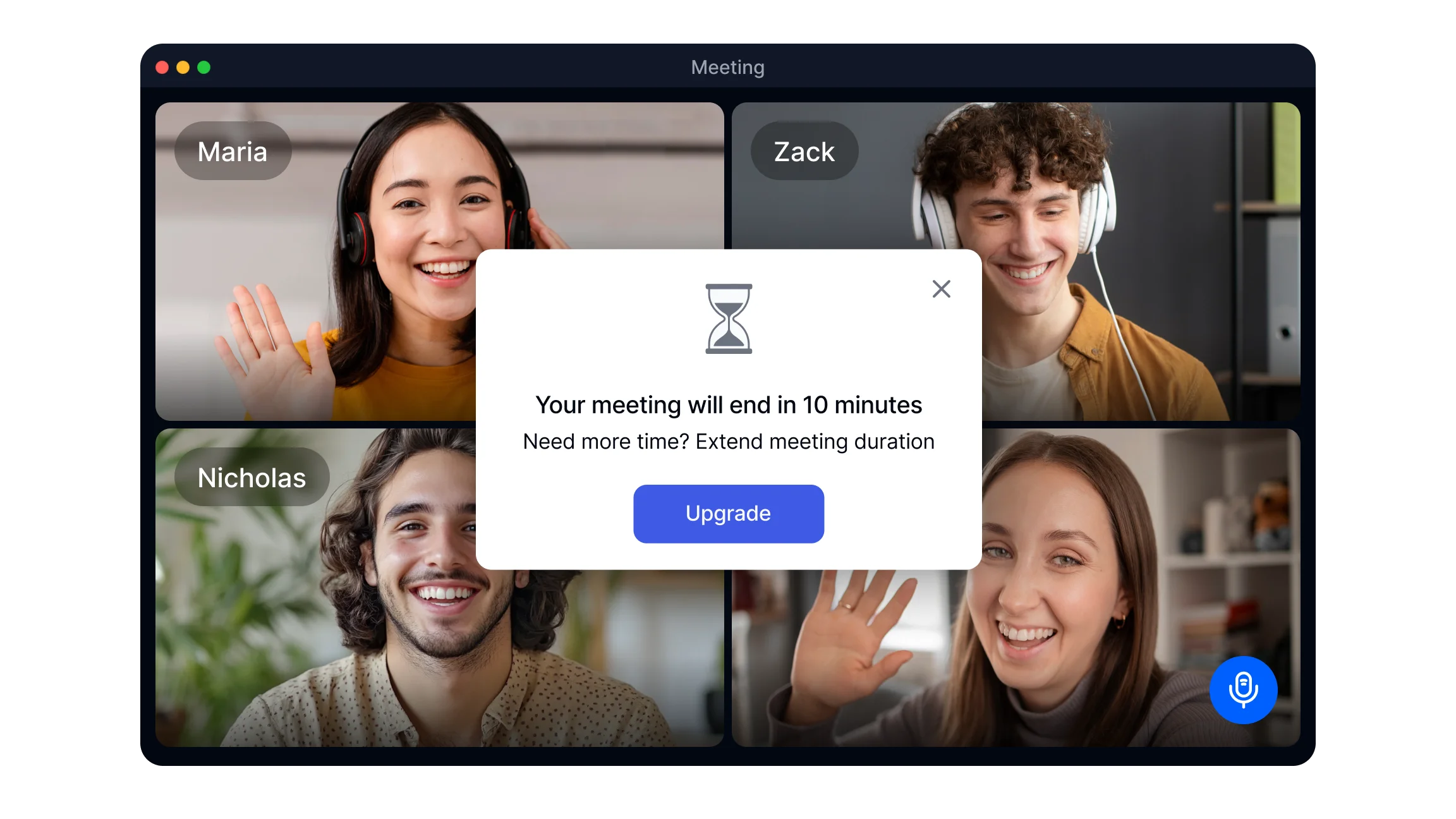
What Is the Zoom Time Limit on Free Accounts?
On Zoom's Basic plan, group meetings with three or more participants end automatically when the 40-minute limit is reached. The countdown begins the moment the meeting starts, not when the first participant joins. When time runs out, all participants are disconnected simultaneously and the host receives a notification that the meeting has ended.
Key facts about Zoom's free time limit:
The 40-minute limit applies to group meetings on the Basic plan only
One-on-one meetings between two participants are not subject to the 40-minute restriction on the free plan
The limit applies equally across desktop, mobile, and browser versions of Zoom
Recurring meetings scheduled under a Basic account follow the same 40-minute rule for each occurrence
Zoom sends a warning notification to the host approximately five minutes before the limit is reached
Paid plans including Pro, Business, and Enterprise allow meetings up to 30 hours in a single session
The limit is enforced at the account level, not the device level. Changing devices or browsers does not extend or reset the timer.
Method 1: Leave and Restart the Meeting (Free Plan)
The most reliable workaround for the 40-minute limit on a free account is to end the current session and immediately restart a new one using the same meeting link. When the host uses Leave Meeting rather than End Meeting for All, participants are not permanently removed and can rejoin the moment the new session starts.
Step-by-step instructions:
Schedule the meeting in advance rather than using an instant meeting. A scheduled meeting generates a fixed meeting ID and link that remains reusable. Instant meetings generate a temporary ID that expires after the session ends.
Before the meeting begins, inform participants that the session may need a brief restart around the 40-minute mark. This prevents confusion when the meeting ends unexpectedly.
Watch for Zoom's five-minute warning notification. Use this window to finish the current point and let participants know the restart is coming.
When the session ends or just before the limit: click Leave Meeting, not End Meeting for All. End Meeting for All permanently removes all participants and closes the session. Leave Meeting exits only the host.
Immediately open your Zoom dashboard and start the same scheduled meeting again. The meeting ID and link remain the same.
Share the same original meeting link in a message to participants, or simply tell them to rejoin using the link already in their calendar invite.
Participants click the same link and rejoin within seconds. The new session begins with a fresh 40-minute timer.
This method introduces a brief interruption of typically under two minutes but allows the conversation to continue without requiring anyone to create a new account or purchase a plan. It works most effectively when participants are prepared for it in advance.
Method 2: Take Turns Hosting with Alternative Hosts (Free Plan)
If your team has multiple free Zoom accounts, you can transfer hosting responsibilities between accounts to create consecutive 40-minute sessions without restarting from the same account. This approach requires coordination but avoids the brief interruption of the leave-and-restart method.
Step-by-step instructions:
Identify two or more team members who each have a free Zoom account.
The first host schedules the meeting and adds a second team member as an Alternative Host in the meeting invite settings. The Alternative Host field accepts email addresses of other Zoom account holders.
The first host starts and runs the meeting for up to 40 minutes.
Before the limit is reached, the first host ends the meeting or transfers host controls to the Alternative Host.
The second account holder starts a new meeting session under their own account and shares the new meeting link with participants.
Participants rejoin using the new link. The second host runs the next 40-minute block.
Repeat as needed if additional blocks are required.
This method works well for structured sessions like training programs, workshops, or classes where breaks between segments are acceptable. It requires more advance coordination than the leave-and-restart method but produces a cleaner participant experience if the handoff is managed clearly.
Method 3: Upgrade to a Paid Zoom Plan
Upgrading to a paid Zoom account is the only permanent solution that removes the 40-minute group meeting limit entirely. Paid plans allow single sessions of up to 30 hours, which accommodates virtually any professional use case.
How to upgrade:
Sign in to your Zoom account at zoom.us.
Go to Plans and Pricing from the account menu.
Select the plan that fits your needs and complete the subscription process.
After purchasing, the license must be assigned to your account in the User Management portal if you are part of an organization. If the 40-minute limit persists after payment, the license may not yet be assigned. An administrator can complete this step in the admin portal under User Management.
Zoom plan time limits at a glance:
Basic (Free): 40 minutes per group meeting, unlimited one-on-one meetings
Pro: Up to 30 hours per meeting, up to 100 participants
Business: Up to 30 hours per meeting, up to 300 participants, additional admin controls
Enterprise: Up to 30 hours per meeting, up to 1000 participants, dedicated support
Paid plans also include cloud recording, which allows every meeting to be saved automatically and accessed after the session ends. This integrates with Smart Noter's meeting summarizer to produce structured notes and action item lists from each recorded session automatically.
How to Make the Most of 40 Minutes on Zoom
Whether you are on the free plan by choice or temporarily, getting more value from 40 minutes is a practical skill. The most productive 40-minute meetings share a few consistent characteristics.
Prepare a tight agenda before the meeting
Send the agenda to participants at least an hour before the session. A written agenda gives everyone time to prepare so the meeting can move directly to discussion rather than spending the first ten minutes establishing context. Assign each agenda item a time allocation so the facilitator can keep the session on track.
Place the highest-priority items first
If the meeting ends at the 40-minute limit, the most important decisions and discussions should already be complete. Place high-stakes topics at the start and leave updates and announcements for the end, where they can be sent as a written follow-up if time runs out.
Use the five-minute warning productively
Zoom's notification five minutes before the limit is a signal to wrap up the current discussion, confirm any open action items, and prepare participants for the next step. Use this window deliberately rather than treating it as an interruption.
Document everything during the session
Manual note-taking during a meeting splits attention and produces incomplete records. Smart noter's meeting summarizer captures what was discussed and generates a structured summary with decisions and action items automatically. This is especially valuable for free-plan users who lose access to the session when the 40 minutes ends, since all documentation is produced and saved before the meeting closes.
For meetings that involve screen sharing and collaborative document review, preparing all materials before joining eliminates setup time and ensures the full 40 minutes goes toward productive discussion.
End with confirmed next steps
Before the meeting closes, state the decisions made and who owns each action item out loud. This takes under two minutes and dramatically reduces the follow-up required afterward. A meeting summarizer captures these commitments automatically so they are documented even if the session ends abruptly.
Smart noter integrates with Zoom through its integrations so that meetings scheduled and recorded through Zoom are automatically captured and processed without requiring any additional steps from the host or participants.
