What Is a Podcast Transcript and Why Does It Matter?
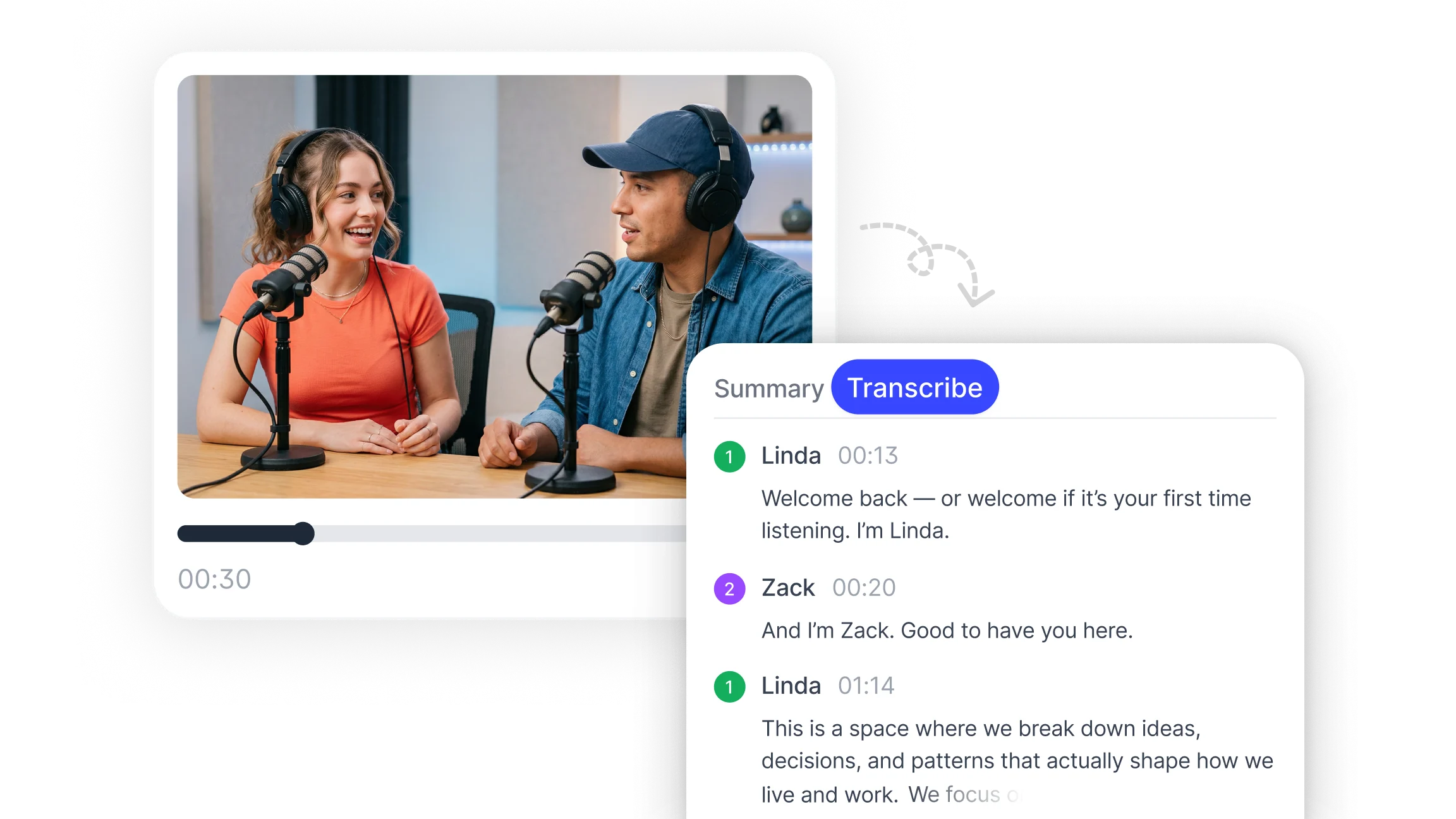
A podcast transcript is a text document that captures the spoken content of an episode in written form. A complete transcript includes the full dialogue, speaker labels that identify who said what, and timestamps that mark when each section of conversation occurred.
Transcripts serve several practical purposes that go beyond accessibility:
Search visibility: Text content can be indexed by search engines. A published transcript makes episode content discoverable through keyword search in ways that audio alone cannot support.
Accessibility: Listeners who are deaf or hard of hearing, non-native speakers, or anyone in an environment where audio is not practical can access episode content through a transcript.
Content repurposing: A transcript provides the raw material for blog posts, show notes, social media excerpts, newsletters, and quote graphics without requiring anyone to relisten to the episode.
Research and citation: Journalists, academics, and researchers use transcripts to find and cite specific statements without having to scrub through audio files.
Internal use: Production teams use transcripts to review episode quality, identify segments for editing, and build archives of past content.
Apple Podcasts introduced native transcript support in 2024, making transcripts a standard expectation for podcast distribution rather than an optional extra. Platforms that do not provide transcripts are increasingly at a disadvantage for both accessibility compliance and content reach.
How to Transcribe a Podcast Step by Step?
The process differs slightly depending on whether you are using an AI tool or working manually, but the core steps follow the same sequence.
Step 1: Prepare the audio file
Export the episode audio in a widely supported format. MP3 is the most common and works with virtually every transcription tool. WAV files produce higher quality audio but larger file sizes. M4A and AAC are also widely supported. If the episode exists only as a video file, most AI tools can extract the audio track automatically.
Before uploading, check that the audio file is the final edited version rather than a raw recording. Removing long silences, false starts, and background noise before transcription significantly improves the accuracy of the output.
Step 2: Choose your transcription method
Three main methods are available for transcribing podcast episodes:
Manual transcription involves listening to the episode and typing the content yourself. This is the most time-intensive approach but gives the most control over formatting and speaker identification. It is rarely practical for episodes longer than twenty minutes unless very high precision is required for specific segments.
Automatic transcription using AI processes the audio file and generates a text document without manual input. Smart Noter's audio to text feature handles podcast files in MP3, WAV, M4A, AAC, and video formats including MP4 and MOV. The output includes timestamps and speaker labels generated automatically from the audio.
Platform-native transcription is offered by some podcast hosting platforms and distribution services. These built-in tools are convenient but often produce lower accuracy than dedicated transcription tools and offer fewer editing and export options.
For most use cases, AI transcription is the practical default. It combines speed, accuracy, and flexibility in ways that manual and platform-native options do not.
Step 3: Upload the file or paste the episode link
Most AI podcast transcription tools accept either a direct file upload or a link to a hosted episode. Upload the prepared audio file directly, or paste the episode URL if the tool supports link-based transcription. The tool fetches the audio and begins processing automatically.
For episodes hosted on podcast platforms, check whether the tool accepts direct RSS feed links or requires downloading the audio file first. Smart Noter accepts both file uploads and episode links, removing the need to download files before processing.
Step 4: Set speaker labels and language
Before or after processing, identify the speakers in the episode. AI transcription tools can detect when a different voice begins speaking and label each speaker separately, but they typically use generic labels like Speaker 1 and Speaker 2 until manually renamed.
If the episode involves multiple hosts or guests, renaming speaker labels immediately after the transcript is generated makes the document significantly easier to read and use. For multilingual episodes, set the primary language before processing to ensure the AI model applies the correct language rules. Smart Noter supports +98 languages, so non-English and multilingual episodes can be transcribed without switching tools.
Step 5: Review and edit the transcript
AI-generated transcripts are highly accurate for clear audio but are not perfect. After the transcript is generated, read through it and correct any errors. Focus on:
Proper nouns, names, and technical terms that the AI may have approximated
Punctuation and sentence breaks, particularly in fast-paced conversational sections
Speaker label accuracy, especially where voices are similar or speakers talk over each other
Any sections where background noise or crosstalk reduced accuracy
The time required for editing depends on audio quality. A well-recorded episode with two clear speakers and minimal background noise typically requires minimal correction. A live recording with audience noise and multiple overlapping voices will need more review.
Step 6: Format the transcript for its intended use
The formatting of the final transcript depends on where it will be used:
For publication on an episode page, use a readable format with speaker names in bold or separated by line breaks, paragraphs organized by topic rather than continuous text, and timestamps included at regular intervals so readers can navigate to specific sections.
For show notes and summaries, extract the key points, notable quotes, and section timestamps to create a shorter reference document rather than publishing the full transcript.
For internal use, a plain text export with timestamps is often sufficient for team review, editing decisions, and archiving.
Step 7: Export and publish
Export the completed transcript in the format required for its destination. Common export options include plain text for pasting into website editors, PDF for sharing or archiving, and DOCX for editing in word processors. Publish the transcript alongside the episode or in a dedicated transcript section on the podcast website.
How to Improve Podcast Transcription Accuracy?
The single most important factor in transcription accuracy is audio quality. AI transcription tools produce their best results from clean recordings with clear speech, consistent volume, and minimal background noise.
Practical steps that improve accuracy before recording:
Use a dedicated microphone rather than a laptop or phone built-in mic
Record in a quiet space with soft furnishings that reduce echo and reverberation
Keep consistent distance from the microphone throughout the episode
Use a pop filter to reduce plosive sounds on letters like p and b
Monitor audio levels during recording to avoid clipping or low-volume sections
Steps that improve accuracy after recording but before transcription:
Apply noise reduction in audio editing software to reduce consistent background noise
Normalize audio levels so all speakers are at a consistent volume
Remove long silences, false starts, and off-topic filler sections that add processing time without useful content
Export at a standard bitrate, 128kbps or higher for MP3, to preserve audio detail
Steps that improve accuracy during and after transcription:
Set the correct language before processing for non-English episodes
Rename speaker labels immediately so subsequent corrections are made to the right speaker
Use find and replace for recurring proper nouns that the AI consistently approximates incorrectly
Review sections with crosstalk or background noise first, as these are most likely to contain errors
For content and media teams producing high volumes of episodes, establishing a consistent pre-production audio standard reduces the editing time required after every transcription.
What to Do with a Podcast Transcript After It Is Generated?
A completed transcript is a content asset that can be used in multiple ways beyond its primary documentation purpose.
Publish as episode show notes
A structured version of the transcript with timestamps and section headers gives listeners a way to navigate episode content before or instead of listening. Show notes that include the full or summarized transcript consistently rank better in search results than show notes that contain only a brief episode description.
Create a blog post from the episode
The transcript provides the full spoken content of the episode in text form. Editing and structuring this content into a readable blog post format produces a piece of written content without requiring additional research or writing from scratch. The transcript becomes the draft.
Extract quotes for social media
Notable statements, statistics, or insights from the episode can be pulled directly from the transcript and formatted as social media posts, quote graphics, or newsletter excerpts. This extends the reach of each episode across platforms without requiring separate content creation.
Build a searchable episode archive
Published transcripts create a searchable database of past episode content. Listeners and researchers can find specific topics, names, or statements across the full archive using a search function, which significantly increases the discoverability and long-term value of older episodes.
Support accessibility requirements
Transcripts fulfill accessibility obligations for deaf and hard-of-hearing audiences and comply with accessibility guidelines that increasingly apply to audio and video content published online.
Use as research and citation source
Academics, journalists, and other researchers can cite specific statements from a podcast episode when a transcript is available. Without a transcript, a podcast statement is difficult to cite precisely. With one, it becomes as citable as a published text.
How AI Podcast Transcription Works?
AI podcast transcription uses automatic speech recognition models trained on large datasets of spoken language. When an audio file is processed, the model converts the acoustic signal into phonetic units, maps those units to words, and applies language models to determine the most likely word sequence given the surrounding context.
The process involves several layers:
Speech detection identifies when speech is present versus silence, music, or background noise and segments the audio accordingly.
Speaker diarization detects changes in voice characteristics and assigns different speaker labels to different voices. This is the technology behind automatic speaker recognition in transcripts.
Language modeling uses probability calculations based on context to select the most likely word when the acoustic signal is ambiguous. This is why AI transcription handles common phrases accurately even in imperfect audio.
Post-processing applies punctuation, capitalization, and formatting rules to convert the raw word sequence into a readable document.
Smart noter's transcription feature applies this full pipeline to podcast audio, producing timestamped, speaker-labeled transcripts at up to 99% accuracy for clear audio across +98 languages. The output is editable within the platform and exportable in multiple formats.
