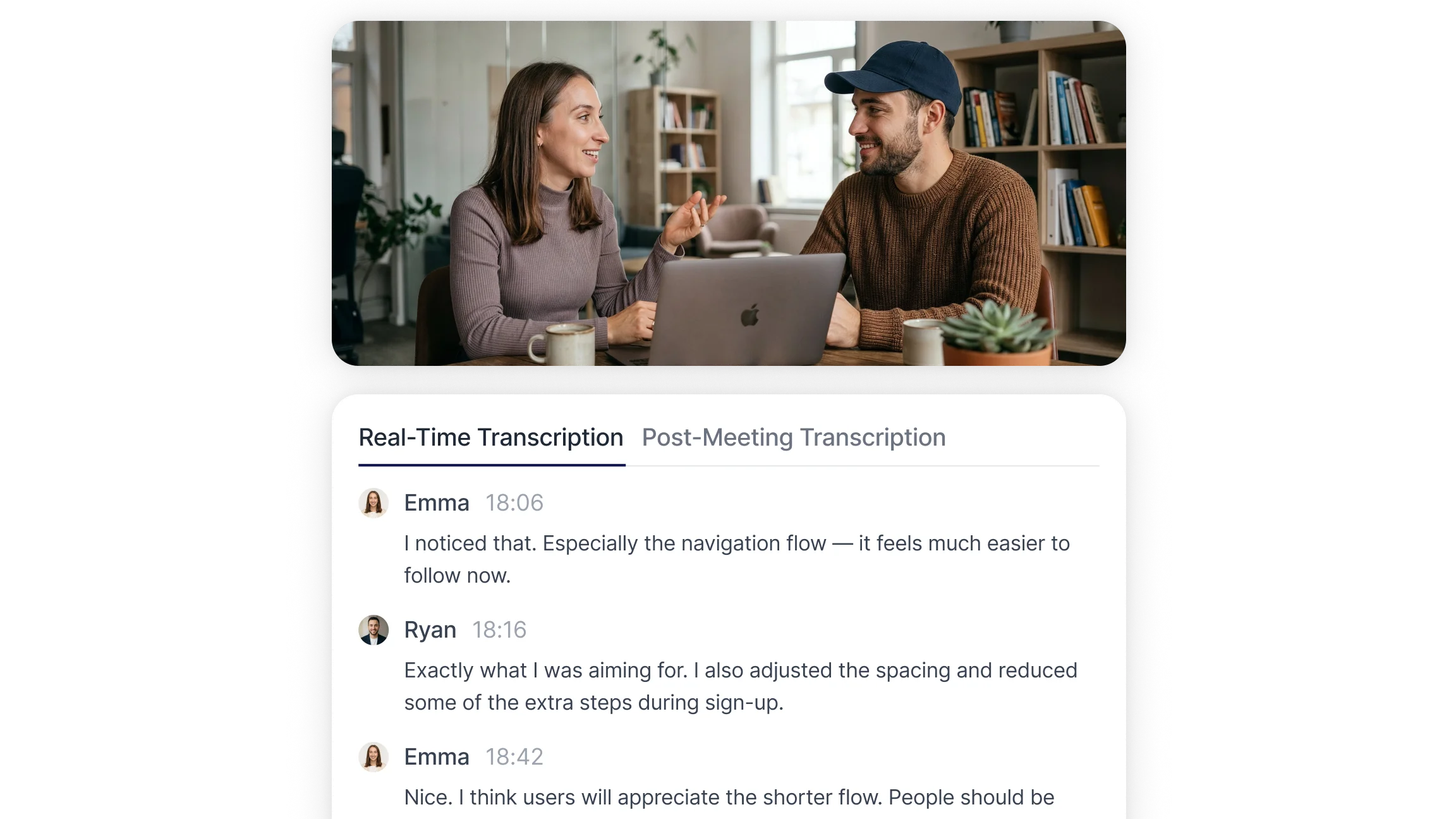
Real Time Transcription vs Post Meeting Transcription: Which Is Better?

Real time transcription and post meeting transcription are two common ways to turn spoken conversations into written records. Real time transcription creates text instantly during a meeting for live captions and immediate reference. Post meeting transcription works from recorded audio afterward to allow deeper analysis, cleaner formatting, and clearer speaker labeling. The choice depends on workflow needs, timing, and the level of final documentation required.

Date August 13, 2026 · Jasmine Bennett

What Is Real Time Transcription?

Real time transcription converts speech to text as people speak, showing spoken content live to support accessibility, following discussion points, and on the fly collaboration. These systems generate text continuously so participants can read captions or follow notes during a meeting.

Typical live workflows include:

  • Live captions for virtual calls, webinars, or lectures.

  • On screen notes during presentations so participants can track key points.

  • Instant searchable text for quick reference and rapid decisions.

Real time transcription supports live interaction: misunderstandings can be corrected faster, important moments can be flagged as they happen, and live text enables quick annotations. Because processing occurs as speech happens, immediate output can be affected by latency and imperfect speaker separation.

What Is Post Meeting Transcription?

Post meeting transcription converts recorded audio or video into text after the meeting ends. This method analyzes the full recording, which generally improves accuracy, formatting quality, and speaker identification.

Common post meeting workflows include:

  • Uploading recordings for batch transcription and editing.

  • Producing a structured transcript with timestamps, speaker labels, and paragraphing for official documentation.

  • Generating summaries, action item lists, and searchable archives for future use.

Post meeting transcription fits workflows that need detailed review, analytics, or polished meeting documents. With access to the entire file, systems can apply heavier processing, context aware corrections, and more accurate speaker diarization.

Real Time Transcription vs Post Meeting Transcription: Key Differences

The main differences relate to speed, accuracy, purpose, and speaker handling.

Feature Real Time Transcription Post Meeting Transcription
Speed
Text appears instantly while the meeting is happening Text is generated after the meeting ends
🎯 Accuracy
Good accuracy, but may include filler words or minor errors Higher accuracy due to full context processing
💡 Best Usage
Live meetings, webinars, and accessibility support Final documentation, reporting, and review workflows
🗣️ Speaker Identification
Moderate speaker separation during live sessions More accurate speaker labeling after full analysis
⚙️ Processing Method
Live speech to text conversion in real time Audio is processed after recording is completed
✏️ Editing Flexibility
Limited editing during live transcription Easier editing and formatting after processing
📋 Typical Output Purpose
Live reference and active participation Structured transcripts and searchable records
🔄 Workflow Role
Supports live interaction and accessibility Supports documentation, storage, and analysis
🛡️ Distraction Risk
May require attention during meetings No interruption during live discussion
📊 Use In Decision Making
Useful for quick references during conversations Useful for reviewing discussions and confirming decisions

These distinctions clarify whether immediate visibility or polished documentation is the priority in a meeting transcription workflow.

Can Real Time And Post Meeting Transcription Be Used Together?

Yes. Combining both methods creates a practical workflow that meets immediate needs and produces final documentation.

Example combined workflow:

  1. Activate real time transcription during the session to provide live captions and quick notes.

  2. Record the meeting audio or video.

  3. After the meeting, run the recording through post meeting transcription to produce a refined transcript, add speaker labels, and generate a summary and action item list.

  4. Share the structured transcript and summary with stakeholders for archival and follow up.

This blended approach supports live interaction while ensuring accurate, searchable meeting documentation for later use.

Using AI Transcription Tools To Support Both Real Time And Post Meeting Workflows

Modern AI transcription tools can handle both live and post processing workflows in one platform. These tools capture live discussions with real time transcription and then apply more advanced processing to recordings for post meeting transcription, creating a consistent meeting transcription workflow from instant text to finalized documentation.

Smart Noter provides a structured way to manage both live and post meeting workflows. Example Smart Noter workflows:

  • Start a meeting with real time transcription enabled to provide live captions and quick action flags.

  • Record the session, whether live or through a conference integration, and save the file.

  • Use the post meeting workflow to generate a formatted transcript, identify key topics, and extract action points through the meeting summarizer.

  • Use search and AI chat features to find decisions, tasks, or follow ups across meetings.

  • Export transcripts and summaries for reports, compliance, or team handoffs.

This approach supports immediate accessibility and later delivery of higher quality meeting documents, helping both day to day collaboration and long term knowledge management.

Try Smart Noter for Free
FAQ

Frequently Asked Questions

What is real time transcription?

Real time transcription converts speech to text instantly as people speak, providing live captions or on screen notes for meetings, webinars, and lectures.

What is post meeting transcription?

Post meeting transcription processes recorded audio or video after the session to produce a finalized transcript with better formatting and speaker identification.

What is the difference between real time and post meeting transcription?

The difference is timing and purpose: real time offers instant visibility during a meeting; post meeting focuses on accuracy, formatting, and detailed documentation afterward.

Is real time transcription less accurate than post meeting transcription?

Often yes. Real time transcription may be less accurate because it processes speech instantly, while post meeting transcription benefits from full file analysis and added processing.

When should real time transcription be used in meetings?

Real time transcription is suited for meetings needing live captions, immediate reference, or accessibility during the session.

When is post meeting transcription more useful?

Post meeting transcription is more useful for final documentation, accurate speaker labels, structured summaries, or analytics.

How long does it take to transcribe a one hour meeting?

Real time transcription is instantaneous during the meeting. Post meeting transcription time varies from minutes to longer, depending on processing settings and desired accuracy.

Can real time and post meeting transcription be used together?

Yes. Real time transcription provides live text; post meeting transcription refines the recording into a final, searchable transcript and summary.

Does real time transcription work for online meetings and webinars?

Yes. Real time transcription supports online meetings and webinars by providing live captions and on screen text during the session.

What factors affect transcription accuracy during meetings?

Accuracy depends on audio quality, microphone setup, speaker overlap, accents, background noise, and the transcription system's processing capabilities.

Is real time transcription suitable for accessibility needs?

Yes. Real time transcription supports accessibility by offering immediate captions for participants who are deaf or hard of hearing.

How do teams choose between real time and post meeting transcription?

Teams choose based on priorities: immediate access and live participation favor real time, while final quality records and analytics favor post meeting transcription.

Smart Noter

AI MEETING NOTE TAKER

Smart Noter is an AI meeting note taker that turns spoken conversations into structured, searchable records. Through real-time transcription, speaker identification, and instant summaries, teams and individuals capture every detail from meetings, lectures, and recorded audio or video without manual note-taking. To see how a single recording becomes a full transcript, summary, and action list, you can start for free today, or learn more about Smart Noter.

Delivers 99.9% transcription accuracy across accents, speaking speeds, and 99+ languages.