Frequency and length are starting points, not targets you have to fill. A small company may need a shorter all hands agenda, while a complicated retrospective may need more time to examine evidence and agree on next steps. When you adjust the schedule, keep the meeting’s original purpose intact.
The same rule applies to a staff meeting agenda or weekly team meeting agenda. Decide whether the group needs to coordinate work, share context, understand employee experience, or improve a process. Trying to do all four in one session creates a crowded agenda and no real finish line.
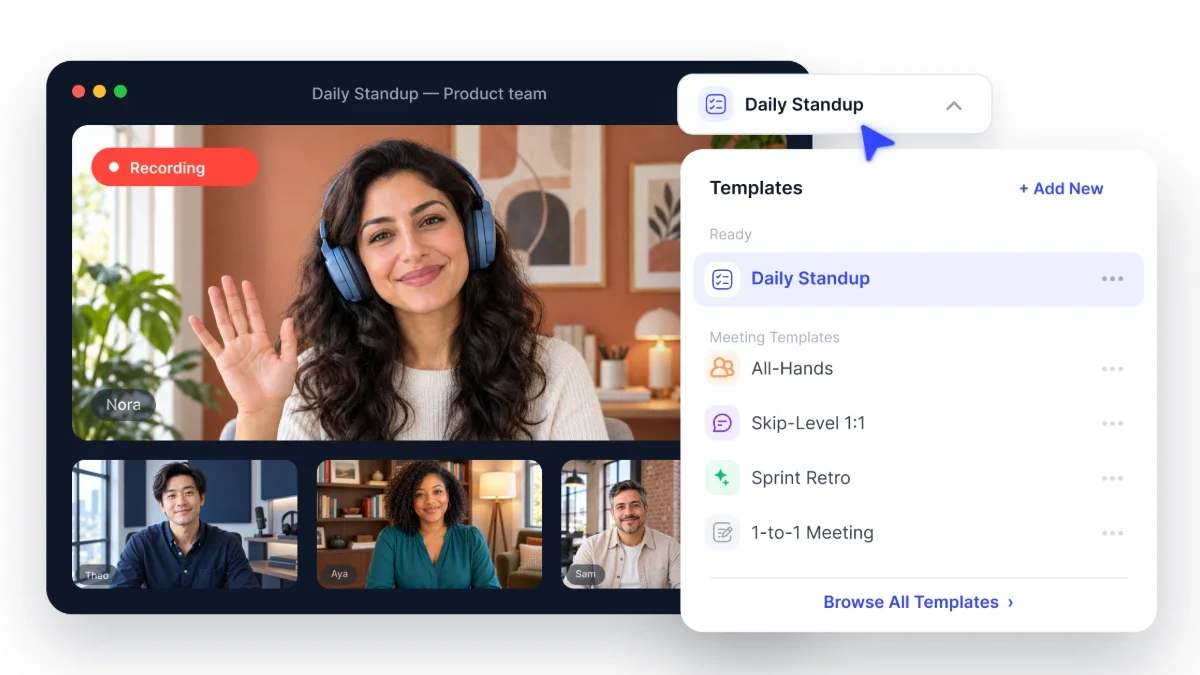
Daily Standup Agenda
Keep the standup agenda focused on coordination for the next working period. The usual format lasts 15 minutes and asks what each person completed, what they will do next, and what is blocking progress. Those questions work only when answers stay brief and connect to work the team shares.
The most common problem is turning the standup into a string of status reports for a manager. That makes the meeting feel like surveillance and encourages people to explain every small detail. Instead, ask attendees to speak to one another about dependencies, handoffs, and delivery risks.
Standing up is a useful convention, not a requirement. It signals that the recurring meeting should stay short, but it does not matter for remote attendees or anyone who needs to sit. A visible timer and a facilitator willing to move people along will do more to protect the format.
Use this daily standup meeting template:
Opening and focus, 1 minute: The facilitator states the sprint goal or the team’s immediate priority.
Participant updates, 10 minutes: Each attendee covers completed work, the next task, and any blocker affecting delivery.
Blocker review, 3 minutes: The facilitator identifies who will join each follow up conversation.
Commitment check, 1 minute: The team confirms changed priorities and immediate handoffs.
Do not solve a blocker during the standup. Name an owner, identify the people needed, and move the discussion to a smaller conversation after the meeting. That protects the meeting timebox without letting the problem disappear.
This structure works well for product, operations, and marketing teams where deadlines and feedback loops are closely connected. It is less useful when people work independently and rarely depend on one another. In that case, a written update may give everyone enough visibility without requiring a meeting.
All Hands Meeting Agenda
An all hands meeting agenda should explain company direction, connect work across functions, and give people room to ask candid questions. Monthly sessions can work when priorities change often, while quarterly meetings give meaningful progress more time to develop. Pick a rhythm that gives people useful context instead of simply filling a calendar slot.
Collect questions before the session through a form or shared document, and allow anonymous submissions when that makes sense. Group similar questions so leaders can address the underlying concern properly instead of repeating variations of the same answer. Leave time for live questions too, because prepared submissions cannot account for every reaction in the room.
Use this agenda for a 60 minute session:
Opening and business context, 5 minutes: The host explains what changed since the previous session.
Business update, 10 minutes: A leader covers progress, current constraints, and upcoming priorities.
Function updates, 15 minutes: Selected teams explain work that affects the wider organization.
Recognition, 5 minutes: The host recognizes specific contributions and explains why they mattered.
Submitted questions, 15 minutes: Leaders answer grouped questions directly.
Live questions, 8 minutes: Attendees raise follow up points or new concerns.
Closing commitments, 2 minutes: The host names decisions, owners, and information still owed.
An all hands meeting starts to feel performative when speakers share only good news, recognition turns into vague praise, or questions receive polished nonanswers. People do not need a perfect picture of the business. They need an honest explanation of constraints, open issues, and decisions that have not yet been made.
Provide a recording for colleagues in other time zones, along with the agenda and written outcomes. Smart Noter can record the discussion, create a transcript, and help absent colleagues find the sections that matter to them. Anyone reviewing later should know where to send a follow up question and when to expect a response.
Skip Level Meeting Agenda
A skip level meeting brings a senior manager together with employees who report to that manager’s direct reports. It helps the senior manager understand working conditions, communication gaps, and patterns that may not show up in formal reporting. It is not a performance check on the manager between you and the senior leader.
Set expectations before you schedule the conversation. Explain that the meeting is part of a regular listening practice, share the topics you want to understand, and make clear that the employee does not need to prepare a presentation. Clear framing helps prevent people from assuming the invitation signals a complaint or a management change.
A practical skip level meeting template follows this structure:
Purpose and boundaries, 5 minutes: Explain why these conversations happen and how you will handle what you hear.
Work experience, 10 minutes: Ask what helps the employee do good work and what creates avoidable friction.
Team context, 10 minutes: Explore how priorities, decisions, and changes reach the team.
Organizational insight, 10 minutes: Ask what senior leadership may be missing or misunderstanding.
Follow up, 5 minutes: Confirm what you can act on, what needs further checking, and what must remain private.
Ask questions that invite examples instead of broad ratings. You might ask, “Which decision took longer than it should have?” or “What information reaches your team too late?” It is also useful to ask what should stay the same, because healthy practices can be easy to miss when the conversation centers on problems.
The senior manager should look for patterns across several conversations without treating one person’s account as a complete diagnosis. Commit only to actions within your control, protect sensitive details, and report back when an issue can be addressed. If employees raise concerns but never see a response, the meeting will quickly lose credibility.
Sprint Retrospective Agenda
A retro agenda follows five stages: set the stage, gather data, generate insight, decide what to do, and close. That sequence keeps the most recent or loudest frustration from taking over the meeting. Smart Noter can support the final record by turning the discussion into searchable meeting summaries that capture decisions and responsibilities.
Start by naming the sprint period, the purpose of the discussion, and the behavior expected from participants. People need room to talk about mistakes, delays, and uncertainty without worrying that speaking plainly will be held against them. A facilitator should stop personal attacks, bring assumptions back to observable events, and make space for quieter voices.
Use this sprint retrospective template:
Set the stage, 5 minutes: Revisit the sprint goal and establish discussion boundaries.
Gather data, 10 minutes: Collect events, results, and observations from the sprint.
Generate insight, 15 minutes: Identify causes, recurring patterns, and conditions behind the evidence.
Decide what to do, 10 minutes: Select one or two changes, then assign owners and completion dates.
Close, 5 minutes: Check confidence in the actions and capture unresolved topics.
Teams can rotate formats to avoid predictable answers. Start, stop, continue works well for direct process feedback, while glad, sad, mad gives people a way to discuss emotional reactions to events. A timeline can help reconstruct a complicated sprint, and liked, learned, lacked, longed for can reveal needs the team has not addressed.
The format matters less than the evidence behind the discussion. Do not let the retrospective agenda become a complaint session or a celebration with no analysis. Connect observations to specific events, then check whether the proposed change addresses a cause the team can actually influence.
A retrospective that produces no owned action is a discussion, not a retrospective. Keep the action list small enough to finish before the next session, and review earlier commitments before creating new ones. That is what separates a retro from a general scrum meeting agenda focused on current delivery.
What Every Team Meeting Agenda Needs
When you ask what is a meeting agenda, the answer should be more than a list of talking points. An agenda explains why the group is meeting, how the available time will be divided, who leads each item, and what will be recorded afterward. Those four parts create accountability before anyone joins the call or walks into the room.
A clear purpose keeps the conversation focused on work that belongs in the meeting. Write it as an outcome, such as choosing a delivery option or identifying the owner of a blocker. “Discuss the project” describes an activity, not a result.
Give every item a timebox that matches its importance. Assign a named meeting owner to run the session, then identify a presenter or decision owner when those responsibilities belong to different people. Shared ownership often means nobody knows who is expected to close the topic.
The written meeting outcome may be a decision, action, risk, unanswered question, or approved update. Record it beside the relevant agenda item instead of trying to reconstruct the meeting from memory later. This makes follow up faster and shows you which sessions are producing nothing useful.
These basics answer how to write meeting agenda entries that lead somewhere. When you are considering how to make a meeting agenda, begin with the outcome and work backward to the smallest amount of discussion needed. A recurring meeting with no written outcome should be reconsidered rather than rescheduled.
What Changes When the Meeting Is Remote or Async
Remote attendance changes the pace because turn taking on video is slower and visual cues are harder to read. Reduce the number of agenda items, name speakers before transitions, and leave a short pause after questions. A 15 minute standup still needs firm limits, but larger meetings may need fewer updates rather than faster speech.
Standups can work as an async meeting when contributors post completed work, next priorities, and blockers by a shared deadline. All hands updates can also begin in writing if leaders provide a clear place for questions. Skip level conversations and retrospectives usually work better live because trust, clarification, and careful listening matter so much.
For a remote retro, ask attendees to write observations before anyone starts speaking. Silent input keeps early comments from shaping the whole conversation and gives quieter participants time to form a clear point. Group related notes afterward, then discuss the patterns that have the biggest effect on delivery.
A colleague who is asleep during the meeting needs more than a video file. Share the agenda, decisions, action owners, and a way to add questions after review. Smart Noter can create a timestamped transcription so an absent colleague can find the sections connected to their work.
Remote work also needs clear response windows. State when questions close, who will answer them, and how later input can affect a decision. Smart Noter helps preserve the discussion and written record, while the meeting owner remains responsible for including people who could not attend.
The agenda comes after the meeting’s purpose. Choose a team meeting agenda template only after you define the result you need, then use Smart Noter to keep decisions and responsibilities visible after the session ends.