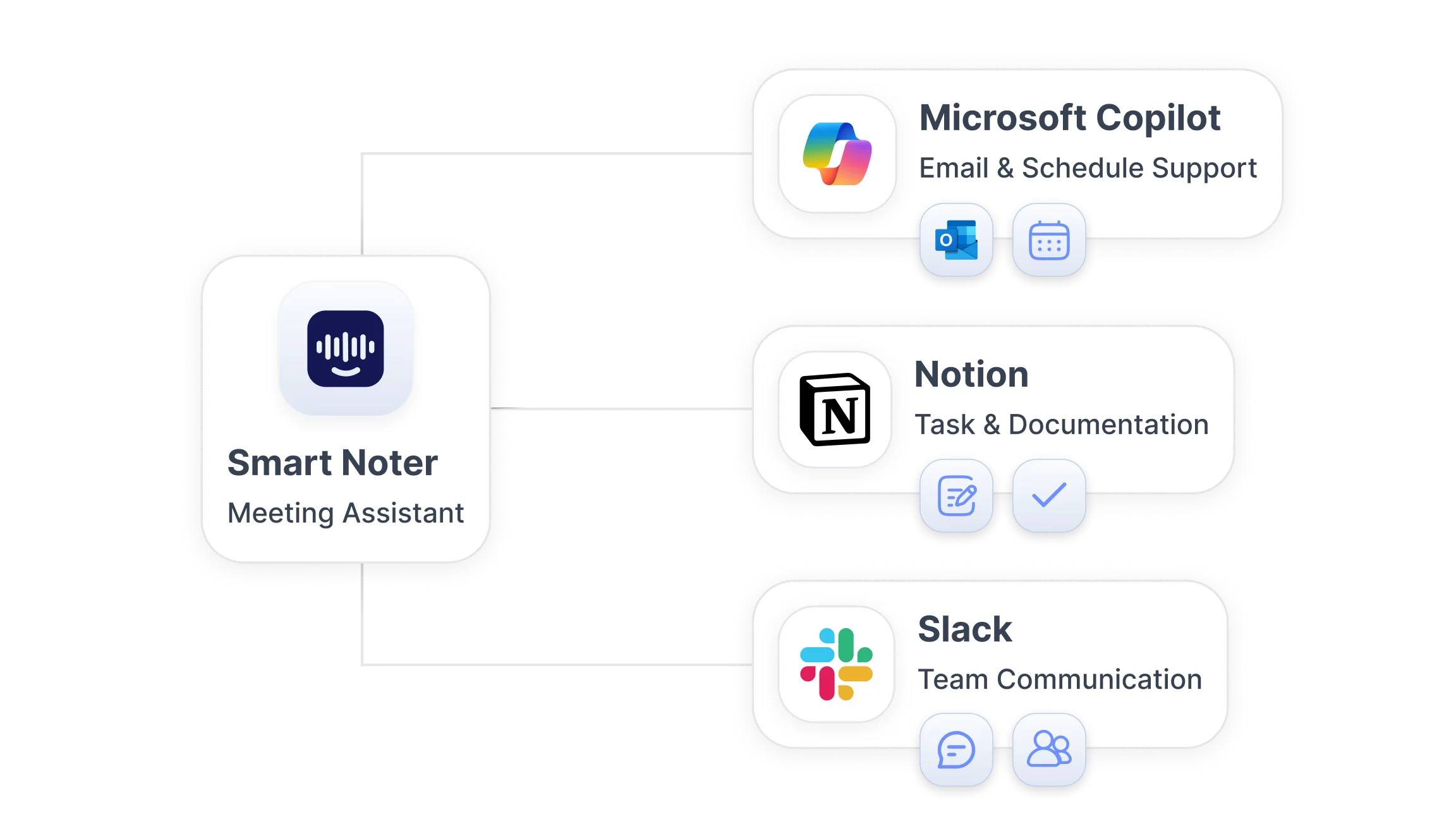
How AI Tools Are Transforming Daily Workflows?
AI tools for productivity support routine business activities like meetings, communication, task planning, and documentation. Automation reduces repetitive manual work such as note taking, follow-ups, and scheduling. Modern teams often use several focused tools together instead of a single all-in-one solution, connecting them into an integrated meeting workflow rather than relying on separate, disconnected steps. Productivity improvements come when tools cover different stages: capturing conversation, extracting actions, assigning tasks, and running follow-ups, so each part of the workflow is supported.
AI Tools That Capture and Organize Meeting Conversations
Meeting-focused solutions record discussions, generate transcripts, and surface decisions with minimal manual input. These tools convert speech to text, index content for search, and produce concise summaries that can be used for accountability and reference.
Structured meeting records make it easier to review what was discussed and who is responsible for tasks. Timestamped transcripts, speaker labels, and action item extraction help assign responsibilities and track outcomes, creating a searchable knowledge base for past meetings.
Smart Noter
Smart Noter converts conversations into structured meeting transcripts, generates summaries and action items, and helps teams track meeting outcomes. The platform supports searchable documentation workflows with timestamped dialogue, speaker identification, and synchronized playback, and it can also pull content from a recorded meeting session for teams that capture calls separately from live transcription.
Fireflies.ai
Fireflies.ai records meetings and creates searchable meeting transcription and summaries, highlighting key moments and supporting export for sharing and archiving.
Otter.ai
Otter.ai offers live audio transcription and collaborative notes, with speaker detection and summary generation to turn spoken content into organized meeting notes.
Fathom
Fathom captures highlights and creates short summaries from video meetings, focusing on action items and key decisions for quick review.
tl;dv
tl;dv records video meetings and produces clips with timestamps and summaries, simplifying review and sharing of important meeting moments.
AI Tools That Automate Tasks and Workflow Management
Workflow automation tools connect apps and trigger actions based on defined rules, reducing manual task handling. These systems link meeting outputs to task lists, send reminders, update project boards, and create follow-up items without manual input, which is especially useful for sales teams tracking pipeline follow-ups after client calls.
Automation improves efficiency across recurring tasks such as reminders, scheduling, and follow-ups. When meeting transcripts and summaries feed into automation tools, tasks can be created with due dates and assigned owners right after meetings, improving handoffs and ensuring deadlines are set.
Zapier AI
Zapier AI connects apps and creates automated workflows that trigger on meeting events, such as new transcripts or extracted action items. It supports conditional logic and multi-step automation.
Reclaim AI
Reclaim AI automates calendar planning and schedules focus time and follow-ups based on tasks and meeting outcomes, adapting schedules to priorities.
Motion
Motion combines scheduling, task planning, and calendar optimization to place work into available time blocks, helping teams manage deadlines and daily priorities.
AI Tools That Improve Communication and Collaboration
Communication-focused tools summarize conversations and organize discussions across channels. They turn long chat threads and meeting recordings into concise summaries, helping teams keep context and reduce reading time. These tools also surface decisions and tasks from messages, which supports marketing teams coordinating campaign updates across channels and stakeholders.
AI tools manage messages, summarize threads, and maintain context across conversations so important points and tasks are not lost in busy channels. Integrations with chat platforms let summaries appear where teams already work, supporting ongoing collaboration.
Slack AI
Slack AI summarizes channels, suggests replies, and extracts action items from conversations, helping maintain context across team discussions.
Microsoft Copilot
Microsoft Copilot provides message summarization, content generation, and context-aware suggestions inside productivity apps, assisting with meeting follow-ups and document drafting.
AI Tools That Help Teams Plan and Manage Work
Project and planning tools help manage schedules, assign tasks, and track deadlines. Structured planning tools reduce confusion and improve accountability by centralizing task lists, timelines, and ownership, an approach that suits content and media teams juggling multiple deliverables. They often integrate with calendars and meeting tools so outcomes become tracked tasks.
Notion AI
Notion AI enhances notes and project pages with summaries, task extraction, and template-driven planning that keeps project details together with documentation.
Clockwise
Clockwise optimizes calendars and schedules focus time to protect blocks for deep work, aligning team calendars around priorities and deadlines.
Task planning AI tools
Task planning AI tools create and organize task lists from meeting summaries, assign owners, and suggest priorities based on deadlines and workload to improve team clarity and progress tracking.
Choosing the Right AI Productivity Tools for Your Workflow
Selecting AI tools for meetings and productivity depends on workflow needs, team size, and communication patterns. Tool choice should match how information flows: if meetings are the primary source of tasks, prioritize transcription and action item extraction; if scheduling is the challenge, choose calendar automation.
Organizations benefit from tools that integrate with existing systems such as calendars, chat apps, and project management platforms. Consider workflow compatibility and integration support ease of adoption, and scalability when evaluating options, since these factors help ensure a smooth rollout and reduce friction for teams adopting new AI productivity tools.
How AI Productivity Tools Work Better Together?
Productivity tools are most effective when combined into connected workflows. Meeting capture tools supply transcripts and action items to automation tools, which then create tasks and schedule follow-ups in planning apps. Communication tools keep context alive across channels so teams can act on meeting outcomes without duplicating work.
When meeting tools, automation tools, and planning tools support each other, the whole workflow moves faster: meetings generate clear outputs, automation ensures follow-ups occur, and planning tools organize the work into schedules. Smart Noter fits into modern meeting productivity workflows by producing structured notes, summaries, and searchable records that feed downstream automation and planning systems.
