7 Google Calendar Features That Save Time in 2026
Appointment Schedules and Booking Pages
Appointment Schedules lets users create a personalized booking page where clients, colleagues, or candidates can view real-time availability and book a time directly. The host sets custom availability windows, buffer time between sessions, and daily booking limits. Confirmation emails are sent automatically and the booked time appears instantly on the calendar.
This feature removes the back-and-forth of manual scheduling and is particularly useful for sales calls, client consultations, HR interviews, and recurring one-on-one meetings. It is available through Google Workspace accounts and can be shared as a link in email signatures, websites, or outreach messages.
Focus Time
Focus Time allows users to block distraction-free periods directly on the calendar. During these blocks, Google Calendar automatically declines overlapping meeting invitations that arrive and can silence notifications from Google Chat. The blocked period appears on the calendar with a distinct label so colleagues can see that it is unavailable time rather than an open slot.
For professionals managing deep work alongside a heavy meeting schedule, Focus Time creates a structured boundary that protects concentration time without requiring manual responses to each conflicting invite.
Time Insights
Time Insights is an analytics panel built into Google Calendar that shows how working hours are distributed across meetings, focus time, and individual work. It tracks total meeting hours per week, identifies which people or teams a user meets with most frequently, and surfaces patterns in how the calendar is being used.
Teams and individuals use Time Insights to identify over-scheduling, monitor collaboration patterns, and make deliberate decisions about how time is allocated. It is accessible from the left sidebar in the Google Calendar interface on desktop.
Secondary Time Zones
Google Calendar can display a second time zone alongside the primary local time directly on the calendar grid. This allows users scheduling across different regions to see both time zones at a glance without manual conversion.
For distributed and global teams, this feature reduces scheduling errors and eliminates the need for separate time zone calculators when setting meeting times. The secondary time zone setting is configurable under Settings and can be toggled on or off depending on the user's current workflow.
Task Integration with Time Blocking
Google Tasks integrates directly with Google Calendar, allowing tasks to be dragged and dropped into specific time blocks on the calendar grid. Tasks created in Gmail, Google Tasks, or other connected apps appear in the calendar so they occupy real time slots rather than sitting in a separate list.
This approach converts a to-do list into a time-blocked schedule, which is one of the most consistently recommended practices for productive workday planning. Completed tasks are marked off from the calendar view without disrupting the event structure.
Shared Calendars and Permission Controls
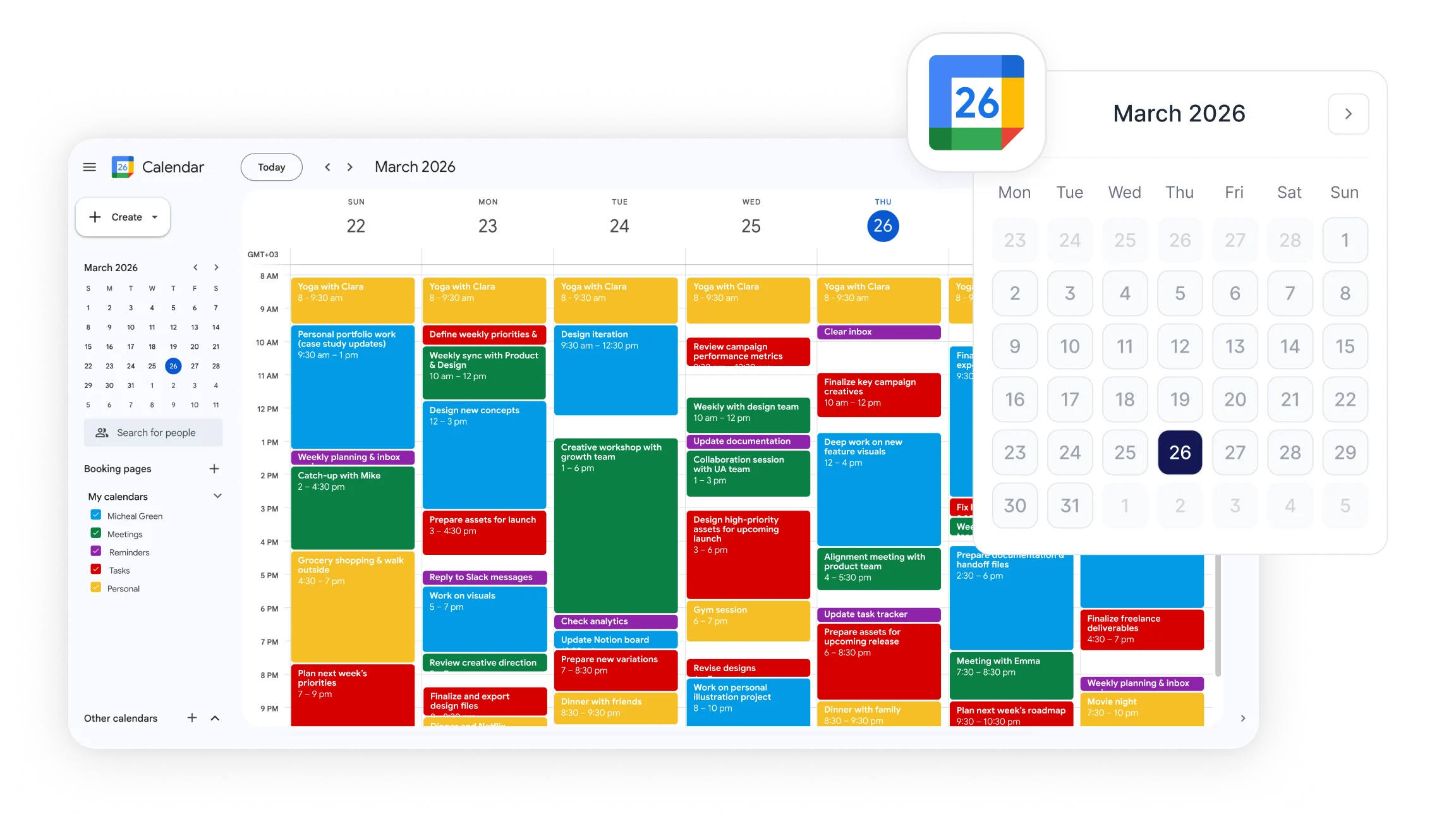
Shared calendars allow teams, departments, or individuals to view each other's schedules with configurable access levels. Permission options include view-only access, the ability to see event details, and full edit rights. Private events remain hidden while still blocking time, so colleagues can see that time is occupied without seeing what the meeting is for.
Multiple calendars can be layered in the same view, color-coded by category: work projects, personal time, team schedules, or resource bookings. This structure keeps complex schedules organized and reduces the coordination effort required to find mutual availability across a team.
Email to Calendar and Smart Event Detection
Google Calendar can automatically detect event-related information in Gmail messages: flight confirmations, hotel reservations, concert tickets, and meeting invites from external platforms. When detected, Calendar suggests creating or updating an event with the relevant details pre-filled.
For professionals managing a high volume of external commitments, this feature reduces the manual work of copying information from emails into calendar entries and ensures that externally booked events appear in the same view as internally scheduled ones.
Google Calendar Keyboard Shortcuts That Speed Up Scheduling
Keyboard shortcuts allow users to navigate and manage Google Calendar significantly faster than clicking through menus. The most frequently used shortcuts are:
Press c to create a new event from any view
Press d to switch to day view
Press w to switch to week view
Press m to switch to month view
Press t to return to today in any view
Press s to open settings
Press / to move focus to the search bar
Press p or n to move to the previous or next period in the current view
These shortcuts apply in the Google Calendar web interface and can be enabled under Settings if they are not already active. For users who create and manage many events daily, consistent use of keyboard shortcuts reduces the time spent on navigation by a measurable amount.
How Google Calendar Integrates with Other Tools?
Google Calendar connects natively with a range of tools that extend its scheduling functionality into broader workflows.
Google Meet When creating an event in Google Calendar, a Google Meet link is added automatically. All invited participants receive the link in their calendar invite and can join directly from the event without navigating to a separate platform.
Zoom and third-party conferencing Google Calendar supports Zoom integration and other third-party conferencing platforms through add-ons available in Google Workspace Marketplace. Once installed, these add-ons generate meeting links for the relevant platform automatically when new events are created.
Google Tasks and Gmail Tasks created in Gmail appear in Google Calendar and can be scheduled into specific time blocks. Email content detected as event-related is surfaced as a calendar suggestion automatically, reducing the steps required to move information from inbox to schedule.
Smart Noter Smart Noter integrates with Google Calendar so that meetings scheduled through the calendar are automatically captured and documented. When a meeting appears in Google Calendar, Smart Noter can join, record, and transcribe the session without requiring manual setup for each individual event. After the meeting, a structured meeting summary with key decisions, action items, and speaker labels is available immediately.
For teams that use Google Calendar as the central scheduling tool, this integration means every meeting on the calendar becomes a documented record without additional effort from any participant.
How to Get More from Google Calendar in Hybrid and Remote Work?
Google Calendar's features are most effective when they are applied as a connected system rather than used in isolation. A few practical approaches make a significant difference in hybrid and remote work contexts.
Use Appointment Schedules for external coordination Rather than exchanging emails to find a meeting time, share a booking link that shows live availability. This is particularly effective for client-facing roles, recruiting, and any workflow that involves scheduling with people outside the organization.
Apply Focus Time to protect deep work Schedule Focus Time blocks at the start of the week before the calendar fills with meetings. This creates a visible signal that those periods are unavailable and prevents the gradual erosion of concentrated work time as meeting requests accumulate.
Review Time Insights weekly Spend a few minutes each week reviewing the Time Insights panel to assess whether meeting time is distributed appropriately. If a significant portion of working hours is in meetings with the same small group, it may indicate that some of those sessions could be replaced with async updates.
Use secondary time zones as a default for distributed teams If regular meetings involve participants in different regions, keeping the secondary time zone visible on the calendar reduces friction at scheduling time and eliminates conversion errors that cause missed meetings.
Layer calendars by project or team Color-coding separate calendars for different projects, departments, or clients makes it easier to see at a glance where time is committed and identify patterns in how the week is structured.
Connect meeting documentation to calendar events Each meeting on the calendar has a corresponding record: who attended, what was discussed, what was decided. Connecting a documentation tool like Smart Noter to Google Calendar ensures that this record is created automatically and linked to the calendar event, making it searchable and available to anyone who needs to review it after the fact.
