What To Look For In An AI Note Taking App For College Students
Not all tools serve the same academic needs. When comparing note apps, students should evaluate how each handles live classes, uploaded recordings, and study material creation. Accuracy, file format support, search, and export options matter more than feature count.
Live Lecture Transcription
Live lecture transcription converts spoken classes into written notes using speech to text. Transcripts let students recover missed details, search for a specific concept, and revisit dense sections later. Reliable AI transcription depends on clean audio, so microphone placement and background noise levels affect output quality in crowded lecture halls.
AI Summarization And Study Material Creation
An AI lecture summarizer compresses a ninety minute class into a short overview with key topics and action points. AI summaries work well as revision outlines, assignment checklists, or starting drafts for study guides. Output formats vary: bullet recaps, topic headers, and task lists are the most common.
Flashcard And Study Aid Generation
Several AI study tools generate flashcards, quizzes, or structured recall items directly from transcripts. Combined with a spaced repetition schedule, this turns raw lecture content into active review material without rewriting notes by hand.
Multi-Format Support (Audio, PDF, Video)
Modern tools handle more than live recording. Audio to text covers uploaded voice memos and past lecture files, while video to text applies to recorded seminars, webinars, and screen captures. PDF and slide support matters for reading heavy courses where lecture notes and course documents need to sit in one place.
Search, Speaker Labels, And Timestamps
Long transcripts are only useful when they are navigable. Speaker labels separate the lecturer from student questions during seminars, and timestamps link any line of text back to the exact moment in the recording. Full text search across a semester of classes is what makes an AI note taker for students different from a plain recorder.
Best AI Note Taking Apps For Students In 2026
The tools below were selected on shared criteria: transcription quality, summarization, organization, and study support. Each fits a different course format.
Smart Noter
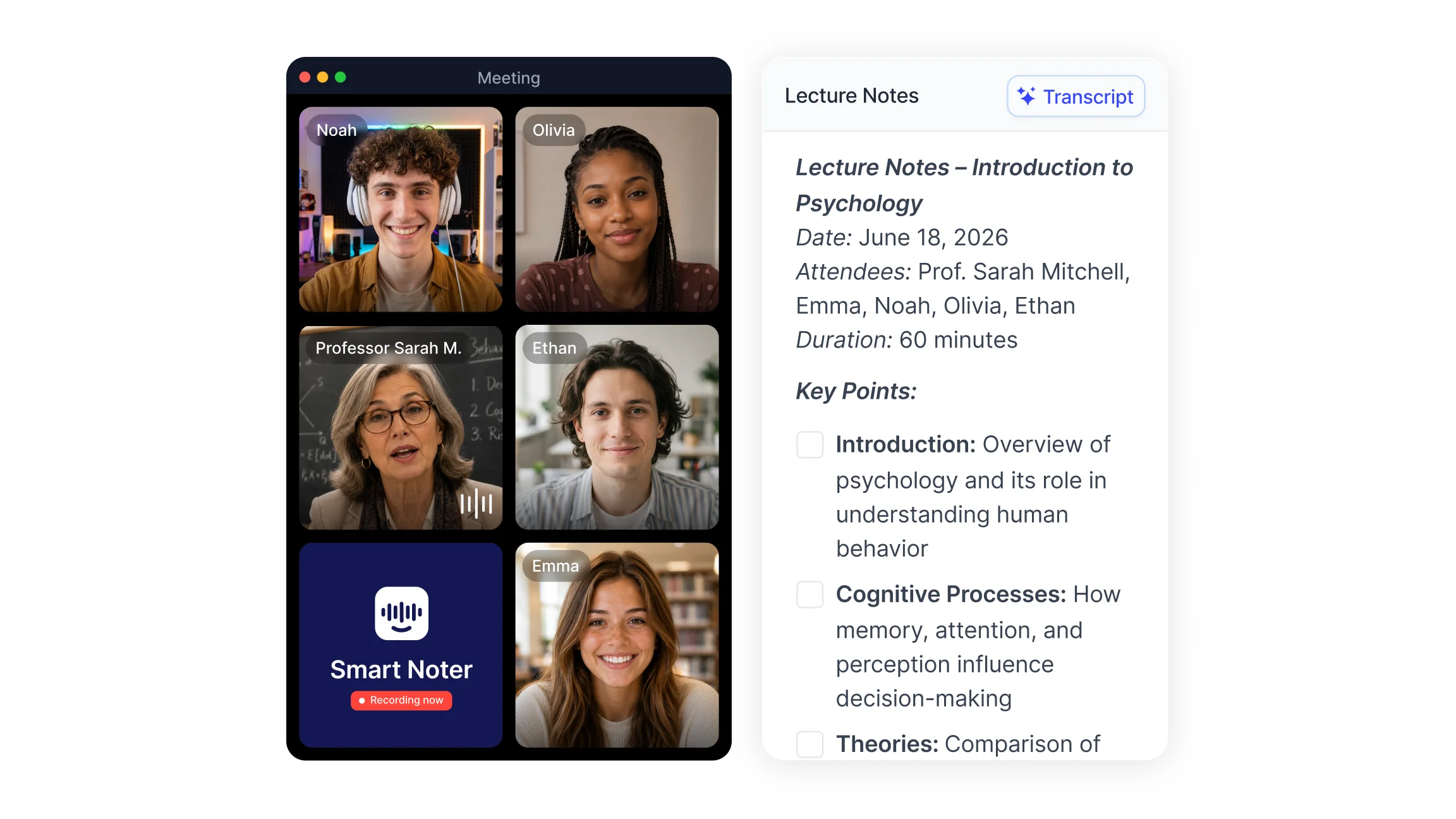
Smart Noter is a full AI note taking app for students, built around lecture recording, transcription, and structured study workflows. It records live classes or joins scheduled sessions through calendar sync, producing searchable, timestamped transcripts with speaker labels. Real time transcription removes the need to type during class, and synchronized playback highlights each line as the audio runs, which makes reviewing a specific ten minute stretch straightforward.
The AI summarizer turns long sessions into short overviews, grouped key topics, and clear action points. Those outputs work directly as revision outlines or assignment task lists. Transcripts export as PDF, DOCX, or TXT, so notes can move into existing course folders without reformatting. Uploaded lecture recordings and video files are supported through audio to text and video to text conversion, which covers recorded classes as well as live ones.
Smart Noter's AI chat works across saved transcripts: a student can ask what a lecturer said about a concept three weeks ago and get a short answer grounded in the recording. Calendar integrations with Google Calendar and Microsoft Outlook handle scheduled class attendance, so recurring lectures are captured without manual setup each week. Sharing and export options make distributing notes across a study group simple and keep a full semester archive in one searchable place.
The dedicated student solution page covers academic workflows in more detail, including exam review and seminar documentation. Smart Noter offers a free tier for students testing AI note taking for the first time.
NotebookLM
NotebookLM is a research focused tool that analyzes uploaded course materials such as PDFs, lecture slides, and personal notes. It answers questions about that uploaded content and generates structured responses grounded in the source documents, which suits reading heavy coursework and literature review tasks.
Otter.ai
Otter.ai provides real time transcription for lectures and meetings, with searchable transcripts, speaker labels, and live note generation. Quick transcript access suits classroom based workflows and group study sessions.
Notion AI
Notion AI is an integrated workspace covering note organization, summarization, and task management. Students can hold class notes, assignment checklists, and schedules in one system and use AI to condense long pages into study plans.
Krisp
Krisp improves recording quality through noise cancellation and audio clarity. Cleaner input helps speech to text tools produce more accurate transcripts, which matters in noisy lecture halls and on unstable video calls.
RemNote
RemNote is a study focused tool that generates flashcards and runs spaced repetition schedules. It converts written notes into active recall items and times review sessions around exam dates.
How Smart Noter Supports AI Note Taking For College Students?
Smart Noter covers the full path from lecture to revision: capture, transcription, summarization, and organization. Classes are recorded live, uploaded as files, or joined through a conference link, then converted into searchable text with timestamps and speaker labels. Academic transcription of this kind gives students a written record they can search rather than a recording they have to scrub through.
Three academic workflows benefit most. Lecture review: searching transcripts for a concept before an exam instead of replaying an hour of audio. Assignment preparation: pulling task lists and key arguments out of seminar discussions. Study sessions: exporting organized excerpts for group review, or generating video summaries from recorded lectures and supplementary material. Calendar sync keeps scheduled classes captured on time, and export options build a structured course archive across the semester. Smart Noter is free to start for students setting up an AI note taking routine.
How To Choose The Right AI Note Taking App For Different Study Styles
The right choice depends on lecture format, course load, and revision habits. Lecture heavy programs need a strong lecture recording app with accurate live transcription. Research heavy programs need document analysis for PDFs and slides. Exam focused students benefit most from flashcard generation and spaced repetition. Students who write frequent reports should check how well a tool produces an objective summary rather than a loose paraphrase. Device compatibility, privacy controls, and export formats should match campus policy and group project needs before committing to a paid plan.
